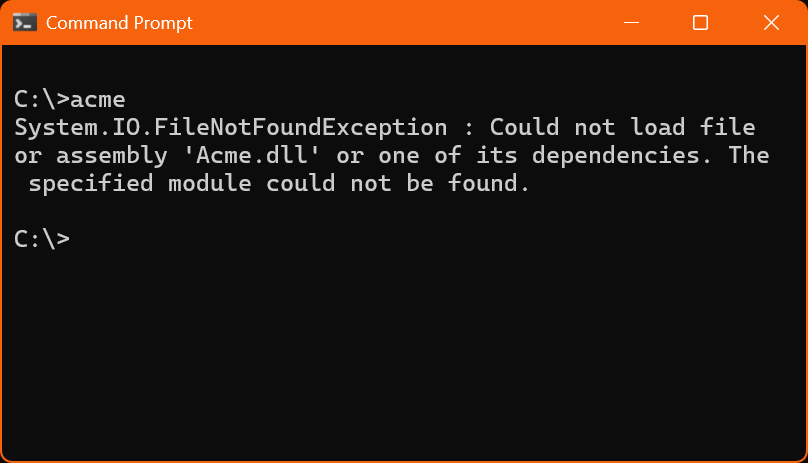
If you have done any software development under Microsoft Windows you have probably come across this famous error message:
System.IO.FileNotFoundException : Could not load file or assembly 'Acme.dll' or one of its dependencies. The specified module could not be found.
Naturally, when you see this message, you check whether Acme.dll is there, and what you usually discover is that the file is in fact there.
When dealing with computers, most error messages leave some room for troubleshooting; but when the system is reporting that a file does not exist while your eyes are telling you that the file is there, there is nothing to troubleshoot: the situation looks completely hopeless. The computer says black, but what you clearly see is white. What is happening makes no sense, and there is no alternative way to look at it from which a solution might be found. You are stuck. You are stymied. You are frustrated. You are exasperated. You are thinking to yourself: "how can this be happening to me?"
(Useful pre-reading: About these papers)
At this point you are likely to start shot-gunning the problem by trying various random tricks in the hope that one of them will magically make the problem go away: you try running the application again just in case it was a glitch, you try obtaining a fresh copy of the library in case this one somehow got corrupted, you restart Windows because we always try that, right? -- and none of these attempts yields any results.
Finally, when you have exhausted all other possibilities, you decide to take a closer look at the error message. And there is indeed a lot to see in this error message, because as it turns out, it is one of the worst error messages in the history of computing, perhaps the single worst error message in the history of computing.
First, you notice that it says that it could not load "a file or assembly". So, was it a file that could not be loaded, or was it an assembly? Why is the message vague about this? Doesn't the code issuing the message know whether it failed to load a file or an assembly? And if the code issuing the message does not know, then how can you possibly know? And what is an "assembly" anyway? Should you already know the meaning of this word before you try to make sense out of the error message, or is the meaning of the word irrelevant, and they are simply throwing unknown words at you for no reason whatsoever?
I am afraid that these questions will remain forever unanswered.
Then you notice that the message speaks of "Acme.dll or one of its dependencies". So, was it Acme.dll that could not be loaded, or was it one of its dependencies? Why is the message vague about this, too? Doesn't the code issuing the message know whether it was Acme.dll that failed to load, or one of its dependencies? And if the code issuing the message does not know, then how can you ever hope to know?
Anyway, you start with a new hypothesis: what cannot be found is not Acme.dll itself, but one of its dependencies. But which dependency cannot be found? The next sentence says "the specified module could not be found", but which module is the specified module? There is only one module being named in the error message, and that is Acme.dll, so this must be the specified module, right?
Well, actually, no. What is happening here is that this error message is a notorious instance of trolling with which Microsoft has been torturing software professionals for decades now by telling them lies instead of reporting the actual problem. The problem is indeed that one of the dependencies of Acme.dll could not be found, but Windows will not tell you which one. Instead, it will give you this insidiously worded message which will lead you to believe that it is Acme.dll that cannot be found, thus sending you to look for the problem in wrong directions.
There is probably some programmer who worked at Microsoft some 35 years ago and is probably a pensioner by now, who has a permanent evil grin on his face knowing that he has personally caused millions of work hours wasted all over the planet over the course of several decades simply by creating this particular error message in this particular way.
(Or, perhaps, he told his manager that the task he was working on would need to take a little longer because he had to write some more code that collects all necessary information in order to produce an error message that is actually useful to the user, and his manager told him to not do that because deadlines.)
To fix this problem you have to use some special software called a "Dependency Analyzer" to trace all the dependencies of your application and locate the one that fails to load.

The Microsoft Visual C++ Dynamically Linkable Runtime Libraries sub-problem
Quite often the dependency analyzer finds that the culprit is msvcr100.dll, or vcruntime140.dll, or something similar. These files are the dynamically-linkable runtime libraries for software written using some old versions of Microsoft Visual C++, which is a very popular language for writing all sorts of software under Windows; so, if your application is using any third-party libraries, then one or more of them have almost certainly been written in MSVC. And for some reason, the developers of third-party libraries choose to make their product depend on an external, dynamically-linkable instance of the MSVC runtime library, instead of statically linking the runtime library into their product. This creates an extra moving part, which in an ideal world should not matter, but in this quite short of ideal world, such moving parts must often be dealt with by others, like... you.
What is especially treacherous about these runtime libraries is that many applications contain one of them, and install it in your Windows/System32 folder, so once you have installed a few commonly used apps on your machine you almost certainly have one or more of those runtime libraries. This causes two insidious problems:
- You are completely oblivious of the fact that the application that you are developing indirectly depends on one or more of those dynamically-linkable runtime libraries, so you take no measures to include any of those libraries in your installer. You only discover the problem when your application fails to launch on a pristine installation of Windows.
- Not only you are oblivious of this problem, but also, the developers of libraries that you use are often also oblivious to it, so they do not include such libraries in their distributable packages. For example:
- HDF5DotNet.dll is a popular library used by DotNet applications for reading and writing HDF5 files. This library depends on msvcr100.dll but does not include it in its distributable package, nor is there any mention in their documentation about the fact that msvcr100.dll must be present in the target system in order for their library to successfully load.
- MathNet.Numerics.Providers.MKL.dll is a popular library used by DotNet applications for performing mathematical calculations. The library depends on some native libMathNetNumericsMKL.dll, which in turn depends on some native libiomp4md.dll, which in turn depends on vcruntime140.dll, which is highly unlikely to come with any of the libraries that depend on it, and will not exist on a pristine installation of Windows.
The above problems are especially treacherous in light of the fact that when the problem arises, the error message is sabotaging you by refraining from telling you which file is missing, and instead telling you that a file is missing which is in fact there.
The approach recommended by Microsoft for solving this kind of problem is to include the "Microsoft Visual C++ Redistributable" installable package, and install it as part of the application's installation process. An easier way is to simply include a copy of msvcr100.dll or vcruntime140.dll etc. in the directory from which your application launches.