C# Blooper №4: Lame/annoying variable scoping rules, Part 1

Before reading any further, please read the disclaimer in the C# Bloopers post.

A variable identifier is, of course, only visible within the scope in which it is declared. This includes nested (child) scopes, but it does not include enclosing (parent) scopes. In C# however, once a variable identifier has been used in a scope, its name is "poisoned", so it cannot be used in enclosing scopes. Take this example:

Read more »

C# Blooper №6: No warnings about unused parameters

Before reading any further, please read the disclaimer in the C# Bloopers post.

One common mistake that programmers make is to forget to make use of a parameter to a method. This can lead to quite subtle bugs that are hard to track down and correct.

Now, other language compilers are kind enough to warn the programmer that a parameter is unused, and they also allow temporary suppression of the warning for the rare case when such lack of use is legitimate. But not so in Visual C#. If you forget to use a parameter in Visual C#, you will not know unless you run the "Code Analysis" tool on it.

Read more »

C# Blooper №5: Lame/annoying variable scoping rules, Part 2

Before reading any further, please read the disclaimer in the C# Bloopers post.

In light of C# Blooper №4: Lame/annoying variable scoping rules, Part 1, this one is more of a confusing error message than an actual new blooper. What I am doing below is that I am declaring a field within a class, I am accessing that field from within a method, and further down within the same method I am declaring a new local variable with the same name as the field. Now, C# will not allow me to declare that local variable because it has the same name as the field, but that's not where I am receiving the error. Instead, the error is given when accessing the field. If you only read the first sentence of the error message, it does not make any sense at all. If you bother also reading the second sentence, it gives you a hint as to the real problem. Now, that's not very cool.

Read more »

Scanning printed photos

I was looking around for advice on what settings are best for scanning printed photos and I was amazed by the number of answers floating around on the great interwebz which are misguided, or are technically correct but miss the point. So, here is my advice.

First of all, let us define the goal: For a home user to scan printed photos so as to retain as much as possible of the visual information contained in the print, within reasonable limits, and without wasting too much space.

Read more »

Canon Pixma MX700 printer dead and resurrected (Not!)

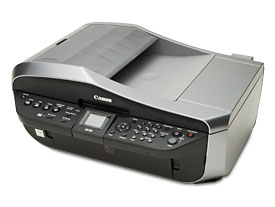
Canon Pixma MX700

My Canon Pixma MX700 printer died the other day as it was printing. It just went completely dead, as if the power cord was unplugged. I tried a few things and I did in fact manage to bring it to life, but only for a couple of days. Then, it died for good.

Here is what happened.

Read more »